+1 (409) 800-6601
 contact@virtualbuildingstudio.com
A contract that asks for a BIM model can mean different things to owners, architects and modelers. In the 2023 NBS Digital Construction Survey, 70% of 723 design and construction professionals said they had adopted BIM.Yet respondents explained BIM in several ways: from better information management to 3D parametric models. Teams that treat a BIM and Revit model as interchangeable can own the software and still miss required information.
Decision makers at US AEC firms face this when they scope work, write BIM requirements or compare suppliers. A clear view of BIM vs Revit helps them define deliverables, responsibilities and exchange rules before modeling begins. Building Information Modeling needs a definition first because the comparison depends on it.
What Is BIM?
Building Information Modeling is a coordinated process for producing, managing, exchanging, and using information about a built asset. It pairs graphical content, such as geometry, with non-graphical data like classifications, materials, asset identifiers, and maintenance requirements. Teams use that information from briefing and design through construction, handover, and operation.
BIM is therefore broader than 3D modeling. A visually accurate model can still fall short if it lacks required properties, naming rules, classifications or approved status. ISO 19650-4:2022 sets out processes and decision criteria for information exchanges, intended to protect model quality.
A functioning BIM workflow connects these parts.
- Information requirements stating what is needed, when, and how it will be accepted
- People with assigned roles, responsibilities, and approval authority
- Processes for authoring, review, coordination, and exchange
- Technology for authoring, checking, and collaboration
- Standards for naming, classification, coordinates, and status
Revit is one technology that can operate within this system, so its specific role needs a closer look.
What Is Autodesk Revit?
Within BIM workflow, Autodesk Revit is desktop BIM modeling software that teams use to author, document, and exchange model-based information. It creates parametric, object-based models in the proprietary RVT format.
In Revit, parametric means that rules and constraints manage elements and their relationships. Views draw on one model database, so one edit can update plans, sections, and schedules when constraints are set correctly.
Revit supports several connected functions.
- Authoring of architectural, structural, and MEP elements
- Documentation through plans, sections, sheets, and schedules
- Linked models and worksharing for multidisciplinary teams
- Exchange through IFC, DWG, and other formats, with mapping
Teams delivering BIM construction documentation services produce sheets and schedules derived from model views, so parameter quality can affect drawings. Revit is not a full BIM process, a common data environment (CDE), or a substitute for an information standard. Other authoring platforms exist, and buildingSMART describes IFC as an open, vendor-neutral standard for representing built-environment objects across platforms. The practical question is when a project needs each one.
BIM vs Revit: What Is the Difference and When to Use What?
BIM defines what information a project needs, while Revit is one tool teams use to author part of it. Revit's authoring functions serve BIM outcomes but do not define them.
Specify BIM when a project needs coordinated information instead of an isolated model. Triggers include multidisciplinary design, clash management, construction sequencing, quantity or cost integration, and digital handover. The BIM strategy should come before software selection, because the use case sets model contents and exchange formats.
Choose Revit when the project needs object-based building design, coordinated drawings and schedules or RVT deliverables. Infrastructure alignment or fabrication detailing may need other tools instead of or alongside Revit.
Procurement should separate two capability questions. Buyers of BIM consulting services in the USA can ask about execution plans, owner standards and CDE workflows. Buyers of BIM construction documentation services can ask about Revit version, worksharing, family governance, and shared coordinates. Contracts should name measurable deliverables, acceptance tests, and exchange formats instead of requesting a BIM model without qualification. Once those requirements exist Revit become necessary for the project.
Connection Between BIM and Revit: How Revit Fits Into a BIM Workflow
Revit works in the production layer of a BIM workflow. In this process designated authors create discipline information and prepare exchanges. Project teams use the process to decide what is modeled, how models are named, and which outputs become records.
Planning
Teams write information requirements and an execution plan before authoring begins, then configure Revit templates and shared parameters to match.
Discipline authoring
Architecture, structure, and MEP teams can build separate Revit models to control responsibility, then link them.
Coordinates
Autodesk recommends deriving shared coordinates from one authoritative file. Teams should name a coordinate authority and test link alignment before large-scale modeling.
Coordination
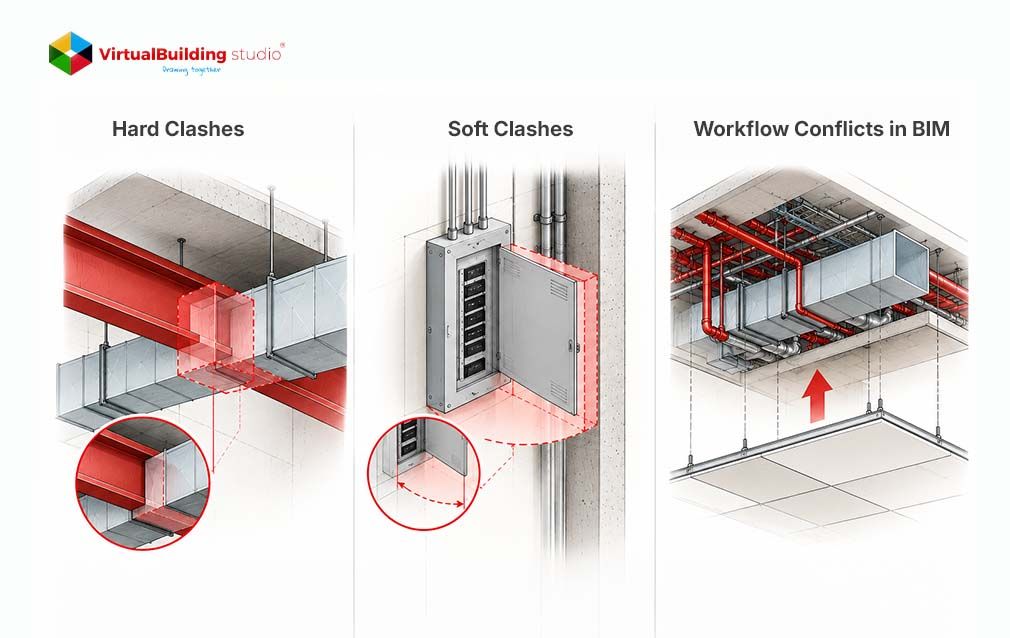
Teams combine published models to find clashes, clearance conflicts, and sequencing problems. A coordination model is not automatically the design authority, since it is assembled from controlled source models for review. Teams delivering BIM coordination services should return each issue to its author and verify closure in the next cycle.
Exchange
Revit exports to IFC with configurable mapping, yet native and exported models are not automatically identical. Teams should define the IFC version, property sets, and validation rules, then test what the receiver gets.
With the workflow mapped, the two model types become easier to tell apart.
BIM Model vs Revit Model
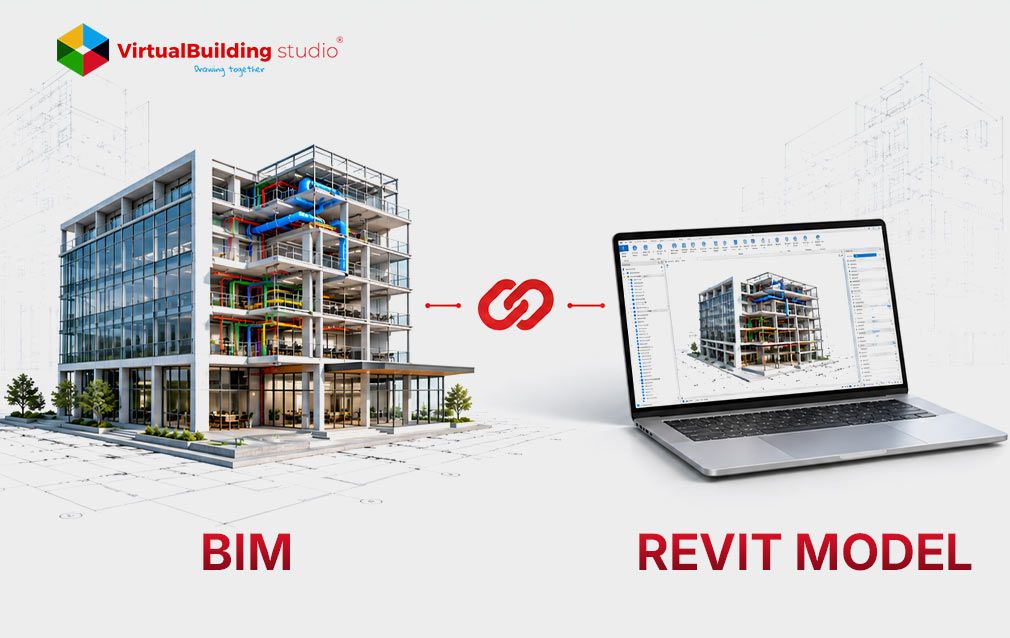
A BIM model is defined by its information purpose, while a Revit model is defined by its authoring environment. A BIM and Revit model can overlap when an RVT file serves as a discipline model in a federated BIM.
The relationship takes several forms.
- Revit model that follows project requirements, holds validated data, and supports defined uses qualifies as a BIM model.
- Revit model with 3D geometry and drawings but missing parameters, coordinates or classifications is an inadequate BIM deliverable.
- BIM model can come from another authoring platform or an IFC-based information model.
- Federated BIM model assembles separate discipline models for coordination, combining RVT, IFC, DWG and point-cloud data.
Fitness depends on the agreed model use, not on the BIM modeling software that produced the file. A design-intent Revit model can show system routes correctly without fabrication-level joints or supports. Using it as a shop model without further development creates an information-purpose mismatch.
Mismatches like this are one of several challenges teams meet in practice.
BIM and Revit Solve Different Project Needs
BIM defines the information strategy. Revit helps teams create the required models and documents.
Common Challenges When Using Revit and BIM Solutions
The main challenges are socio-technical, because they come from the interaction of software, data, contracts, skills, and project delivery. A 2024 PRISMA-based review of Building Information Modeling adoption in infrastructure projects found 74 obstacles.The authors grouped them into categories such as training, resistance to change, unclear business value and missing standards. These categories show why software training alone cannot solve BIM implementation problems.
Software mistaken for process
Teams that equate BIM with using Revit can model without requirements, responsibility matrices, or approval steps. In the NBS survey, 58% of BIM adopters had taken part in execution plans in the preceding year. Teams should set the process first and Revit second, so each property, view and export traces to a defined use.
Interoperability and data loss
A study of IFC transfer between Revit and a group of structural tools reported missing elements and scale inconsistencies. That is one study, not every exchange so teams should test representative objects early and document known losses.
Coordinates and publishing
Different survey points, elevations or north rotations can leave linked models offset. One approved coordinate source should control the project. Teams should also publish approved information at agreed intervals, so other disciplines avoid outdated models.
Coordination quality
Automated clash detection can return many low-value results when tolerances are not configured. Buyers should judge BIM coordination services by verified issue closure not raw clash counts.
Contracts and security
USACE's 2024 guidance says BIM data may be Controlled Unclassified Information. Teams delivering BIM consulting services in the USA therefore need platforms that meet client security, hosting and audit rules.
Skills and delivery
Revit command skills, coordination, and discipline engineering are different competencies, so teams should test capability on project tasks. BIM outsourcing services add interfaces such as time zones, source-data security and version control.
Many of these checks depend on structured, consistent data which is also what automation needs.
AI and Automation in BIM and Revit
AI cannot repair undefined requirements or inconsistent data, and it can scale those defects as readily as valid processes. Revit supplies structured objects, parameters, and relationships that AI tools can use as inputs. A systematic review of BIM and AI integration found financial challenges scored highest, ahead of organizational and technical ones.
Automation is most defensible when a task has explicit inputs, repeatable rules, measurable outputs and a human review step. Suitable tasks in Revit-centered work include the following.
- Assessing whether any information is lacking and ensuring no duplications
- Regulating naming conventions and preparing necessary documentation
- Extracting quantities and analysing model revisions
Teams should treat AI output as a proposal until a lead of any trade verifies it. They should record each tool's purpose, input data, model version, assumptions, validation method and approval authority. Generated geometry and parameters in BIM modeling software should pass the same discipline checks as manual content. Sensitive project data should not reach external models without approved confidentiality, retention and security terms.
Each of these controls returns to the same distinction between the process and the tool.
Conclusion
BIM and Revit are connected but not equivalent. BIM is the managed process through which people define, produce, review, exchange and approve asset information. Revit is software that teams use to author discipline models, derive documentation, and prepare exchanges. An RVT file becomes a dependable BIM deliverable only when it meets agreed requirements for coordinates, data and validation.
The next practical step is to define information needs before choosing tools. Teams can write the execution plan, responsibility matrix, coordinate authority and exchange tests first then configure Revit to match. Buyers of BIM outsourcing services in the USA can then assess process management and Revit production separately. The same split applies when buying BIM coordination services or BIM consulting services.

Align BIM requirements and Revit production scope before your next project starts