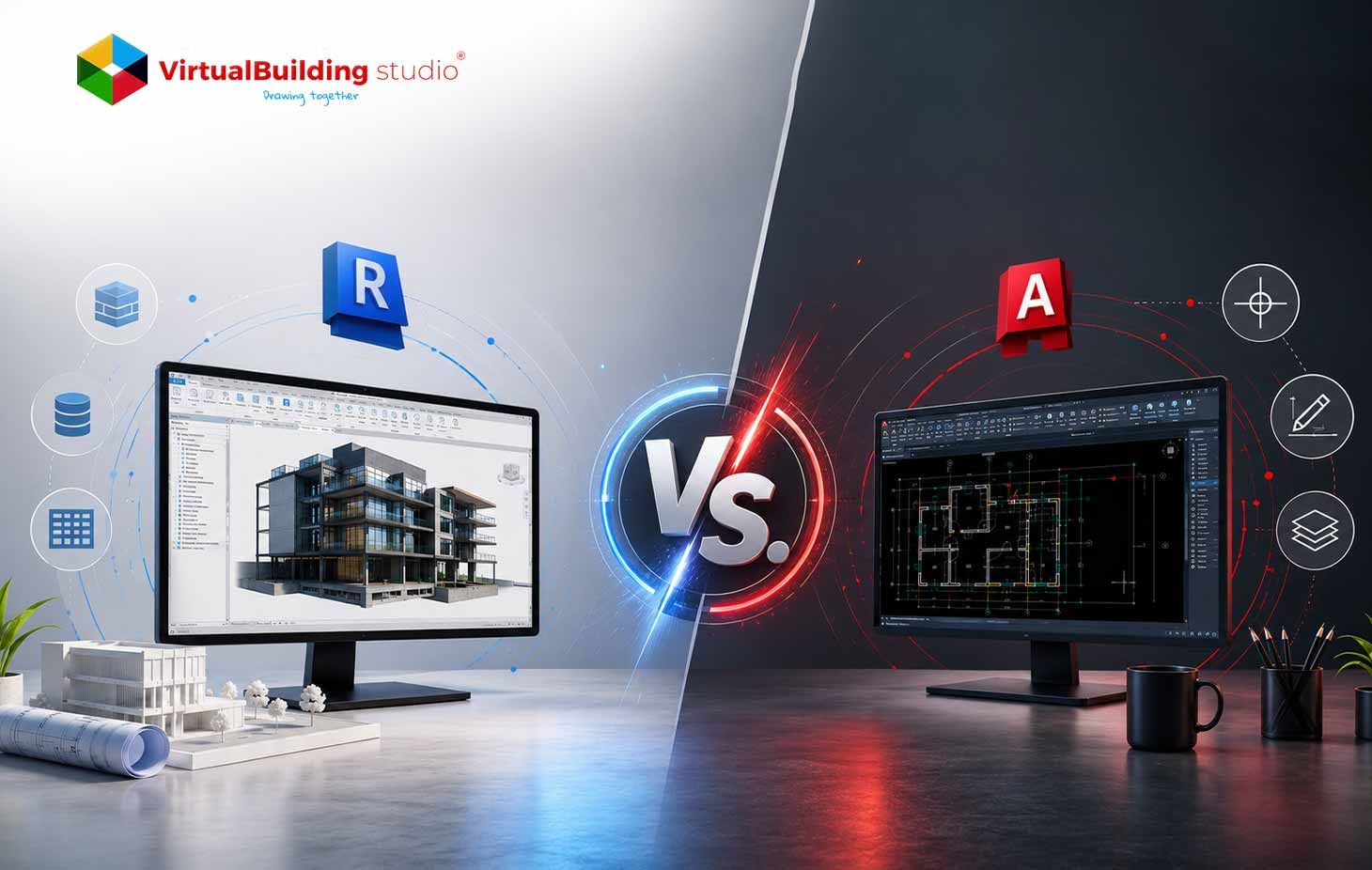
Every AEC firm eventually reaches this crossroads. You have a live project, a team waiting for direction, and two industry-standard platforms such as Revit and AutoCAD. Pick the wrong one and the project pays for it in rework hours and coordination gaps.
This blog walks through what actually separates these two tools at a workflow level. It covers core functionality, real coordination scenarios, and the project conditions where each platform earns its place. The focus stays on practical detail, the kind that matters to architects, engineers, and project managers who work in these environments daily.
Understanding Revit and AutoCAD differences at this level changes how teams assign tools to project types. Fewer coordination errors, tighter documentation cycles, and faster delivery all follow from getting that assignment right.
What Is AutoCAD?
Autodesk built AutoCAD as a drafting tool, and that original purpose still defines what it does today. The platform centers on geometry: lines, arcs, polylines, hatches, and dimensions that come together as technical drawings.
The layer-based system sits at the heart of how AutoCAD organizes work. Users assign objects to named layers and manage visibility, color, and line weight at the layer level. Floor plans, sections, elevations, and construction details all come out of this environment with a high degree of graphic control, which is exactly what contractors and fabricators read on site.
3D capability exists in AutoCAD too. Users extrude shapes, apply surfaces, and build solid geometry. Those objects carry no embedded information about what they represent. A wall reads as a 3D solid. It carries no material assembly, fire rating, or cost code; it's just geometry sitting in space.
Professional AutoCAD drafting services serve firms that work across legacy archives, renovation scopes, and documentation packages where a DWG-based workflow runs faster than building a full model.
What Is Revit?
Revit takes a fundamentally different approach. Autodesk acquired it and positioned the platform as a BIM authoring tool. One built around the idea of a single intelligent building model rather than a collection of drawings.
Every element you place in a Revit model carries data. A wall knows its assembly layers, thermal properties, and fire rating. A door knows its frame material and hardware specification. A duct knows its diameter, material, and system type. All of that information lives inside the model itself, attached to the element, and accessible on demand.
When you place a wall, it connects to adjacent walls, floors, and ceilings. It generates its representation across plan, section, elevation, and 3D views simultaneously. Adjust that wall, and every view that contains it updates automatically. No manual redraws. No missed sheet.
Revit works across three disciplines within a single platform: architectural design, structural engineering, and MEP engineering. Each discipline maintains its own model file. These files link together to create a coordinated federated model. That federated model becomes the shared reference point for the entire project team.
Architectural BIM modeling services built on Revit produce full documentation sets, coordination models, quantity schedules, and energy analysis outputs all from one central source.
Revit vs AutoCAD: Key Differences
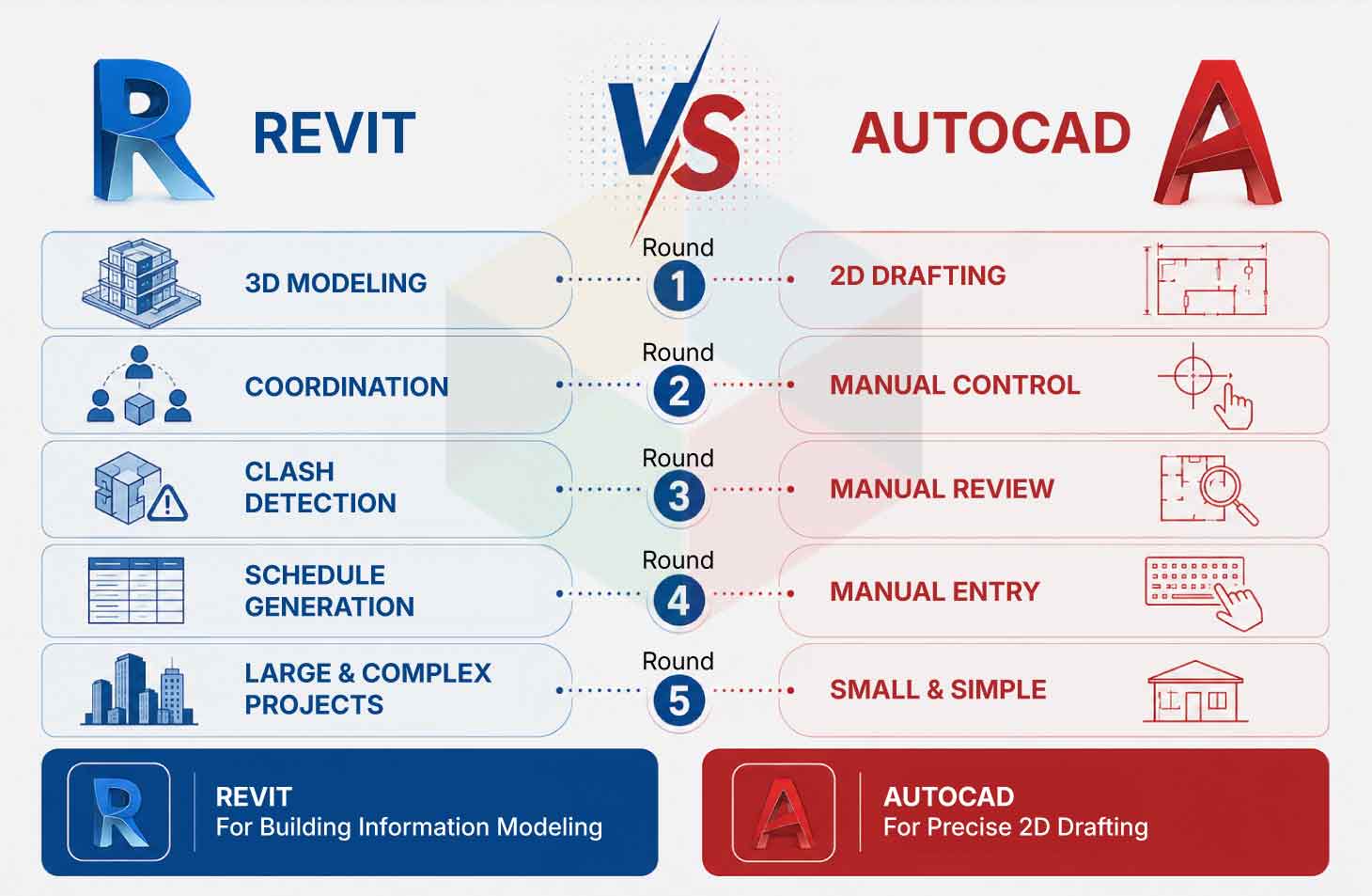
The table below captures the core distinctions at a feature level:
Data vs. Geometry
This is the core split. AutoCAD produces geometry. Revit produces building elements with data attached to them.
A wall in AutoCAD is two parallel lines at a set distance. A wall in Revit carries a full construction assembly layer by layer along with a fire rating, a thermal resistance value, and whatever other properties the project requires. Pulling a window schedule in AutoCAD means counting manually and entering text. Pulling one in Revit takes three clicks because the model already holds everything.
Coordination Approach
AutoCAD handles coordination through external references to XREFs. One team attaches another team's drawing file as a background reference layer. Checking for conflicts happens manually. A duct change in a mechanical DWG does not automatically flag a problem against a structural beam in an architectural file. Someone has to catch that.
Revit handles the same coordination through model linking and interference checking. Teams link their files. A companion tool, Navisworks then runs automated clash detection across every linked model. Hard clashes, soft clashes, and clearance violations all surface in a report before a single shovel goes in the ground.
Documentation Workflow
In AutoCAD, every sheet requires manual setup. A designer creates plan views, section views, and elevation views as separate files or paper spaces. A partition wall change means updating each affected view individually.
In Revit, all views derive from the model. Change a partition wall, and the floor plan, reflected ceiling plan, and every section cut through that wall update immediately. Sheet sets refresh in real time. That model-driven cycle removes the manual rework that accumulates across revision after revision.
How Revit Improves Real AEC Workflows
The Revit workflow for AEC industry produces gains that show up in project delivery: shorter coordination cycles, fewer RFIs, and cleaner documentation sets.
Parametric Design and Rapid Iteration
Revit's parametric engine makes design iteration fast at a model-wide scale. Adjust the floor-to-floor height on a multi-story building, and every floor plate, column, stair flight, and curtain wall panel follow. That kind of global update happens in seconds.
At the design development stage, such flexibility matters. Teams explore more options in less time. The model handles the downstream propagation so designers focus on the decisions rather than the redraw work.
Cloud-based worksharing through Autodesk Construction Cloud keeps distributed teams working from the same model. Each team member saves changes to a central file. Others load those changes at the next sync. The model stays current across the whole team throughout the day, a very different reality from emailing DWG files back and forth.
Clash Detection: Catching Problems Before Site
Architectural, structural, and MEP models all link into a single federated environment. Navisworks then runs interference checks across every element in every linked file.
The system surfaces hard clashes with a structural beam occupying the same space as a duct, and soft clashes. A pipe running too close to a ceiling tile for maintenance access. Project teams resolve those conflicts in the model. The construction phase begins with a coordinated set.
A report found that 82% of BIM users, report a positive return on investment from BIM adoption, with coordination savings and rework reduction as the primary drivers.
Automated Scheduling and Quantity Takeoff
Every Revit element feeds the schedule. Door schedules, window schedules, room finish schedules, and equipment lists all draw directly from model data. Update a door's hardware specification, and the door schedule updates too.
Estimating teams pick up those schedules for quantity takeoff. The data exports in structured formats that directly support cost management platforms. Design information and cost information stay connected throughout the project.
Multi-Discipline Collaboration
A standard AEC project pulls in an architect, a structural engineer, an MEP consultant, a civil engineer, and a construction manager. In a CAD-centered workflow, each firm produces separate drawing files. Coordinating those files requires manual checking, coordination meetings, and a considerable amount of administrative follow-up.
In a Revit-centered workflow, each discipline works in its own linked file. All files share a common coordinate system. The model identifies conflicts between building systems, rather than site discovery. Instead of comparing paper stacks across a conference table, project teams review the federated model together.
Firms moving from legacy CAD environments to Revit can use CAD to BIM conversion services to bring existing drawing archives into the model environment without rebuilding everything from scratch. That process preserves years of documented project history while opening access to Revit's coordination and scheduling capabilities going forward.
The transition also changes how project teams communicate. In a CAD environment, coordination depends on markups, meeting notes, and email chains. In a Revit environment, the model itself carries the communication. A structural engineer adjusts a beam, saves to the central file, and the architect sees the change at the next sync. MEP designers spot the spatial impact before routing a duct. The feedback loop embedded in the model cuts the administrative overhead that typically inflates project delivery timelines, rather than being managed through a separate coordination process.
BIM Maturity and What It Means for Project Teams
Teams that move up the BIM maturity scale access progressively stronger project outcomes. Grasping BIM maturity levels means understanding the progression from isolated 2D files at the base level to fully connected collaborative environments at the top. Gives project managers a clear map for where their team sits and what the next step looks like.
Firms at the lower end of that scale tend to use Revit only as a documentation “tool”, producing drawings from a model without using the data inside it. Firms higher up extract schedules, run energy analysis, feed cost management platforms, and hand over the model to the client for facility management after project completion.
The gap in project value between those two positions is substantial. Moving up the maturity scale requires investment in standards, training, and process. The returns on that investment accumulate across every project the firm delivers from that point forward.
A Springer study found that BIM adoption cuts project timelines by 20% and reduces costs by 15%, outcomes tied directly to the coordination and documentation efficiencies that Revit workflows produce.
When AutoCAD Is Still the Better Choice
AutoCAD holds ground in specific project conditions. Knowing where those conditions arise helps firms assign the right tool without forcing Revit onto scopes it does not serve well.
Renovation and As-Built Work
Renovation projects often begin with traditional paperwork or hand-sketched plans scanned to PDF, hand-drawn sketches from field surveys, or DWG files that go back many years. AutoCAD reads and edits that material directly. Its PDF to DWG conversion pulls linework and text out of scanned plans without requiring a full redraw.
Property management firms and engineering offices often carry large DWG libraries from decades of project work. Rebuilding those archives in Revit consumes time that smaller project budgets do not carry. For scopes that draw on existing 2D material, AutoCAD handles the job more efficiently.
Small Projects and Simple Deliverables
A straightforward residential addition with a tight delivery window often produces faster results in AutoCAD. The deliverable is a plan set. The coordination layer is thin. A Revit model adds setup time that the scope does not justify.
Site plans, road alignments, and utility layout drawings tend to stay in AutoCAD or Civil 3D rather than Revit. Revit's building-centered parametric engine introduces overhead on infrastructure documentation that a DWG workflow handles cleanly.
Manufacturing and Fabrication Details
AutoCAD carries real advantages in manufacturing drawing production. Precise layer management, custom linetypes, and block library tools give fabrication drawings a high level of graphic control. Mechanical equipment details, specialty contractor shop drawings, and product layout drawings all move efficiently through AutoCAD workflows.
DWG File Exchange Requirements
Many international project teams, public agencies, and established client relationships operate on DWG as a contractual file format. AutoCAD carries deep backward compatibility across every DWG version. Teams with a firm requirement to exchange DWG files find AutoCAD the most dependable delivery platform for that purpose.
Revit vs AutoCAD: Which Software Should Your Firm Choose?
The decision for Revit vs AutoCAD for architects and other AEC professionals comes down to three things: what the project requires, what the team coordinates, and what the client expects at delivery.
Pick Revit When:
Multiple disciplines must coordinate on the same building. Clients or contractors ask for a BIM deliverable. Project scale and complexity create a coordination burden that manual checking cannot manage. Revision cycles affect multiple drawing types at once, and manual updates become a bottleneck.
Healthcare facilities, commercial buildings, multi-unit residential developments, and large civic projects all sit in Revit's territory. Government and public sector clients in many markets now write BIM deliverables into project contracts.
Pick AutoCAD When:
The scope stays within a single discipline, and a 2D documentation set covers the deliverable. The project involves existing buildings where the available information lives in DWG or PDF format. The team produces shop drawings, fabrication details, or infrastructure layouts where the coordination layer stays thin.
Consider Keeping Both:
Many firms run both tools. Revit carries the primary building model and the documentation set. AutoCAD handles detail sheets, shop drawing mark-up, and legacy file work. Autodesk's AEC Collection packages both tools together at a price that often works out lower than subscribing to either separately.
Working through the benefits of Revit modeling against the specific demands of your project portfolio gives leadership a clearer basis for the investment decision.
A qualified BIM modeling company provides Revit family libraries, worksharing standards, and BIM execution plan templates. That kind of support reduces the ramp-up time for firms that want to adopt Revit without having to rebuild their entire infrastructure.
Conclusion
The honest answer here is that both tools have earned their place, and both still hold it. Revit carries coordinated, multi-discipline projects where the documentation must stay current across every change and clash detection matters before construction mobilizes. AutoCAD carries renovation work, 2D-heavy scopes, legacy file environments, and manufacturing workflows where DWG files serve as the currency of exchange.
The AEC sector moves steadily toward BIM as a project delivery standard. Dodge Data and Analytics found that BIM adoption increased by 25%, with growth accelerating across commercial, healthcare, and infrastructure project types. Firms building Revit capability today position themselves ahead of that shift. AutoCAD stays relevant. Autodesk actively develops both platforms. The DWG format remains in use across international markets and asset management environments.
The practical answer for most firms: Revit for BIM-mandated and multi-discipline scopes, AutoCAD for 2D documentation and legacy work, and the AEC Collection for access to both without running two separate subscriptions.

Ready to Move Your Projects into a Coordinated BIM Environment?