+1 (409) 800-6601
 contact@virtualbuildingstudio.com
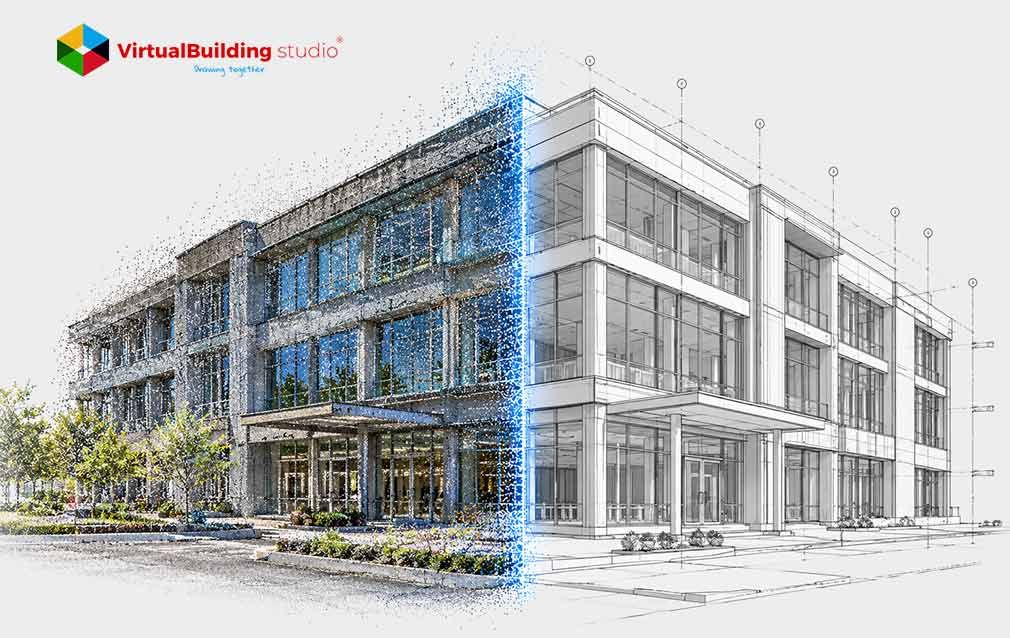
Renovation and tenant improvement projects often proceed on drawings that are years or decades old, reflecting original design intent rather than the modifications and undocumented changes a building accumulates over time. When a contractor opens a wall or ceiling during demolition, structural elements, piping, and ductwork do not always sit where the plans show them. A beam in the wrong location or a duct run shifted during an earlier remodel can stall a project, trigger a change order, and push back the schedule.
Manual measurement and visual inspection cannot reliably catch every deviation in a building with years of undocumented changes.
3D scan to CAD addresses that gap by converting laser-captured spatial data into drawings that reflect current physical conditions rather than original design intent. Architects, engineers, and facility owners planning a renovation need to understand how point clouds become usable CAD drawings, because that process determines whether the resulting documents can be trusted for construction decisions.
What Is 3D Scan to CAD and Why Does It Matter?
3D scan to CAD is a reverse engineering process. Instead of starting from a design concept, the workflow starts with a physical site captured by laser scanner or photogrammetry, then works backward into vector drawings that match real wall positions instead of idealized right angles.
Legacy documentation does not always hold up to that scrutiny. Paper blueprints and old digital files usually show what a design team intended to build, not what crews actually built. Running old records through blueprint to CAD conversion services without field verification carries decades of drafting errors into a new design.
Verified geometry changes that outcome. A scan converted through professional scan to CAD conversion services produces as-built documents that plan reviewers, structural engineers, and MEP subcontractors can reference directly, without needing specialized point cloud software.
What Is a Point Cloud?
A point cloud is a dataset of millions of coordinate points, each marking a precise X, Y, Z position in space, tracing a building's surfaces the way a scanner recorded them.
Each point usually carries more than location. Intensity values record how much light bounced back from a surface, and many scanners pair a camera with the laser so points also carry color, producing a detailed 3D image rather than a field of gray dots.
Three capture methods dominate construction documentation: terrestrial laser scanners for dense, accurate static data, mobile LiDAR using SLAM algorithms to map a space while the operator walks, and photogrammetry, which derives points from overlapping photographs. Raw clouds are commonly exchanged as open .E57 files, then converted into formats such as .RCS for use inside CAD software.
How the 3D Scan to CAD Process Works: Step by Step
Turning a point cloud into finished drawings follows a defined sequence, not a single automated step.
Field teams begin with a scan plan. They choose positions that avoid line-of-sight gaps and place survey targets so multiple scans align into one coordinate system. Mobile scanning adds loop closures, revisiting earlier locations so the software can correct drift over longer paths.
Back in the office, scans are registered into one unified cloud, either by matching physical targets or through an algorithm that minimizes distance between overlapping surfaces, then cleaned of noise such as passing vehicles or glass reflections and leveled to the building's true axes.
With a clean point cloud loaded as a CAD underlay, drafters cut section planes through the data, horizontal for floor plans and vertical for elevations, then trace vector lines against the scanned surfaces. Machine learning models increasingly assist this step by classifying walls and doors automatically, though a drafter still checks the output against the original cloud before it ships.
3D Scan to CAD vs. Scan to BIM: What's the Difference?
The question of scan to CAD vs scan to BIM comes up on nearly every documentation project, and the answer depends on what the drawings need to do afterward.
Deciding between scan to CAD vs scan to BIM early keeps a project from paying for intelligence it will never use, or settling for geometry that cannot support later coordination. Most tenant improvements and single-discipline renovations get everything they need from CAD drawings, while complex MEP retrofits are usually better served by BIM.
Types of Scan to CAD Deliverables
Scan to CAD drafting services typically produce a defined set of drawings, each extracted from a different slice through the same point cloud.
- Floor plans come from horizontal cuts and show wall positions and openings as they actually exist, including walls out of plumb.
- Reflected ceiling plans show fixtures and overhead systems from below, elevations capture facade and interior wall detail, and structural or MEP sections show slab thickness and duct clearances along critical axes.
- Industrial projects often add 3D wireframe, surface, or solid models built directly from the point cloud. Teams use 2D to 3D CAD conversion and reverse engineering scan to CAD methods when a mechanical component has no existing drawings at all.
How Accurate Is Laser Scan to CAD?
Accuracy claims only mean something when tied to a measurable standard. Error compounds through three sources: the scanner's own range uncertainty, residual error from registering multiple scans together, and the drafting error introduced when a line is fitted over raw points.
The U.S. Institute of Building Documentation's Level of Accuracy specification separates the accuracy of the captured point cloud from the accuracy of the final drafted line, with tolerances stated at a 95 percent confidence level.
LOA 30, the tier used for most architectural and MEP coordination work, holds drawings between 5 mm and 15 mm of represented accuracy at that confidence level. Historic preservation and industrial tie-in work often call for LOA 40, tightening that range to 1 mm to 5 mm.
Key Benefits of Converting Point Clouds to CAD
Converting point clouds into CAD drawings changes how a project team works, not just what ends up on paper.
Field crews no longer need repeat site visits to recover a missed dimension. A single scan mobilization captures the entire space, and any measurement needed later can be pulled from the point cloud long after the field team has left.
That completeness shows up in construction outcomes. Projects that design off verified 3D capture data instead of unverified legacy drawings have shown field rework reduced by roughly 30 to 50 percent in published construction research.
Point cloud to CAD conversion also respects that most buildings are not built from perfect right angles. Tracing directly against scan data keeps a bowed wall bowed, which matters for historic restoration and reverse engineering work. The resulting CAD files stay light too, typically 5 to 50 megabytes against a raw cloud spanning tens of gigabytes.
Common Applications of 3D Scan to CAD
This workflow shows up across several corners of the built environment.
- Commercial real estate teams document office and retail space before redesigning a layout, producing floor plans that establish accurate lease boundaries ahead of a buildout.
- Point cloud to CAD services help extract piping and structural geometry in industrial facilities. Facility team resort to the reverse engineering scan to CAD methods when original equipment drawings are not available anymore.
- In historic preservation projects, detailed elevations and 3D surface models are used to record masonry and timber framing before replacement fabrication.
- Civil infrastructure teams document bridges and tunnels, extracting cross-sections that support maintenance planning over the life of the asset.
How Much Does 3D Scan to CAD Cost?
The total cost of a scan-based documentation project splits into two phases: field scanning and office CAD drafting, and both scale with total square footage, architectural complexity, and target accuracy.
Larger projects lower the cost per square foot, since fixed setup time spreads across more area. A clear-span warehouse scans and drafts quickly, while a hospital mechanical room or an ornate historic interior takes considerably longer. Moving a project from LOA 20 to LOA 40 requires denser scan setups and tighter survey control, adding hours on both the field and drafting side.
Published benchmarks for scan to CAD conversion services put field scanning for standard commercial layouts between $0.20 and $0.70 per square foot, with office drafting adding $0.25 to $1.50 per square foot, bringing most combined projects to roughly $0.45 to $2.20 per square foot.
How to Choose a Scan to CAD Service Provider
Choosing a scan to CAD company is a technical decision, not just a pricing comparison, since field quality determines whether the drawings can be trusted on site.
Ask any scan to CAD service in the USA under consideration to state the specific USIBD Level of Accuracy they are targeting, backed by a confidence level, rather than a vague promise of high precision.
Field methodology matters as much as the accuracy claim itself. Scanning without tied survey control produces drift that no amount of careful drafting can correct later. Ask to see a registration error report from a past project before signing a contract.
A capable scan to CAD company processes open formats such as .E57 alongside the proprietary formats specific CAD platforms require, and checks drafted lines against the original point cloud. That consistency is what lets drawings from any scan to CAD drafting services integrate cleanly into an existing project.
Conclusion
A successful point cloud to CAD conversion depends on a defined chain of field control, registration, vector tracing, and verification against a stated accuracy standard, not on scanning hardware alone.
For a project team weighing options, the practical next step is to define what the as-built documents need to support, such as a permit submission or a tenant buildout, and to set a target Level of Accuracy before scanning starts. That decision shapes field methodology, deliverable scope, and cost more than any single technology choice. From there, the remaining work is selecting a provider willing to state its accuracy claims and verify them against the captured data.

Get a project quote with a defined accuracy standard before scanning starts